KAMAR Update - August 2026
We're going to release a major KAMAR update soon! Here's what's in it.
Posted on Thursday 6 August, 2026
Released: Thursday 6th August 2026
The next KAMAR update is a big one, and it is packed with features that you'll love. Here's some details about what you can expect.
New Feature: The Data Dashboard
Introducing a revolutionary set of tools that will make analysing data simple! The Data Dashboard helps you to bring a wide variety of different types of data together into a single, unified view. It's readily available to all staff from three key areas (Attendance Entry, via Markbook > Entry, and through Reporting > Student Lists).
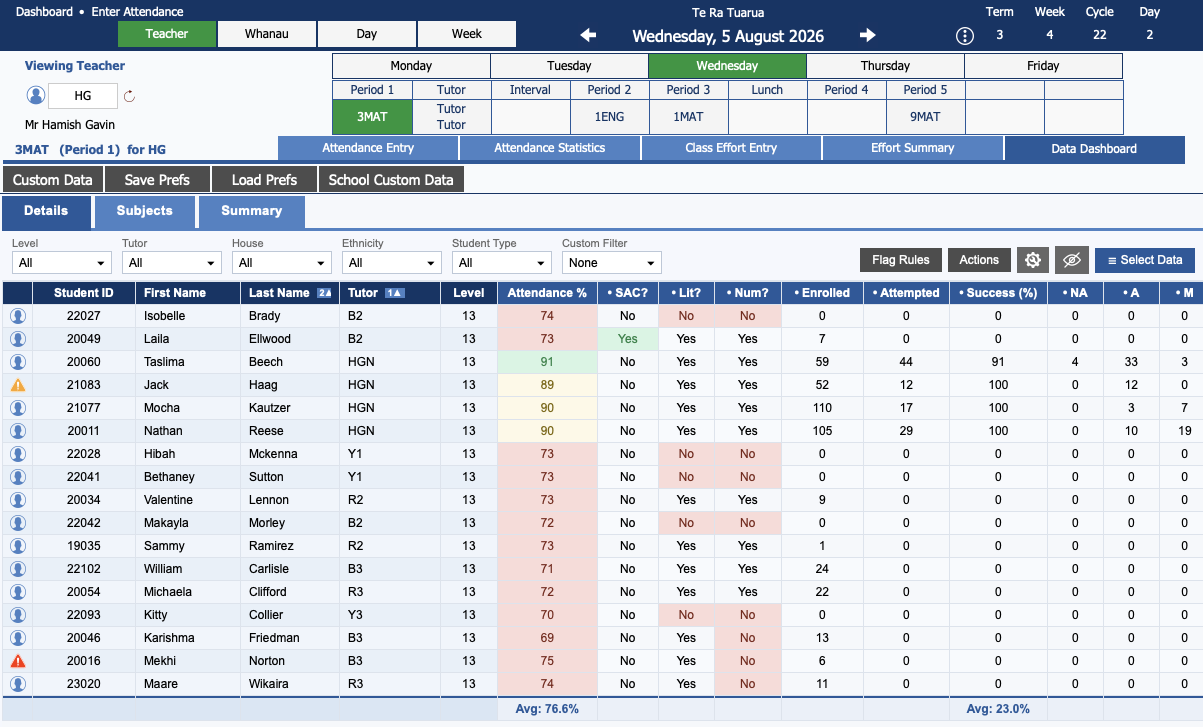
Add data and arrange it the way you want with ease! Using conditional formatting (to highlight information) and Flag Rules (to identify students who meet certain things across several datapoints), spotting things in your school's data is very straightforward.
You can add more and more data onto your Data Dashboard - it's infinite horizontal scrolling lets to see it all.
And the best thing? The Data Dashboard is 100% safe. You can poke around with full confidence, secure in the knowledge that you cannot affect the data at all.
Transformation of Reporting > Statistics
Reporting > Statistics has given you a range of tools to produce statistics using your school's data. This update includes a significant expansion of the tools on offer in this area. We've borrowed some of the tools from the new Data Dashboard, which gives these tools a fresh new look to go with the new features.
Changes include:
- A weekly snapshot of the student population - perfect for tracking roll growth over the year!
- An expanded set of tools for generating statistics about results, including a data modelling tool (Expected vs. Actual Achievement Index).
- An expanded set of tools for generating statistics about attendance (daily, weekly, termly and yearly).
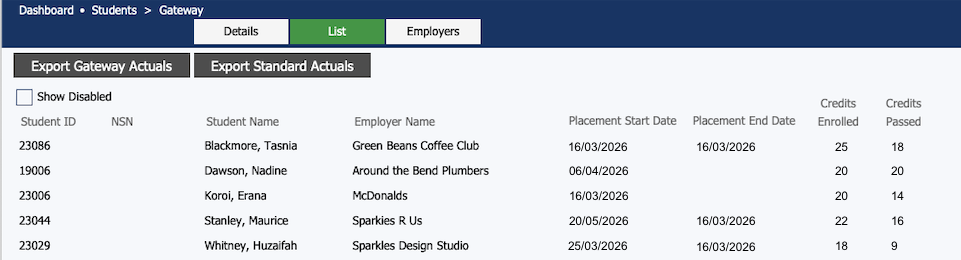
New Feature: The Gateway Area
We've added a new area where you can record the details of students participating in the Gateway programme, along with the details of employers you are using.
And while you are there, generate the two TEC exports you need.
Improvements to Groups
The NZSSSC area has been merged with Groups area. Everything still works the same (so you can produce your Sports Census), but now you don't have to jump back and forth between the Groups and NZSSSC areas.
Improvements to School Calendar
In Teachers > Events Planner > School you can view the school calendar. In this update we have rebuilt it from the ground up!
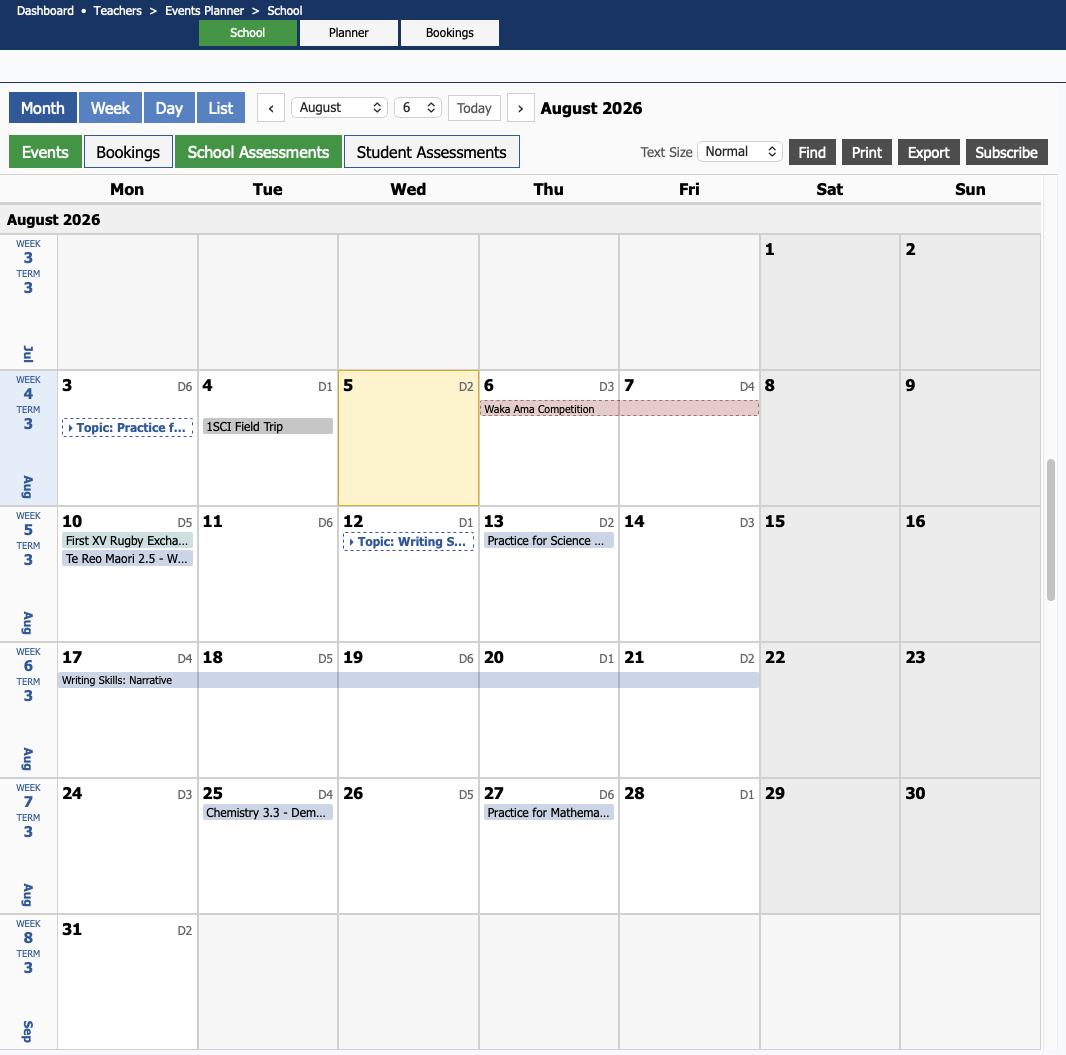
Changes include:
- Dedicated views for month, week and day.
- Bookings (yours, and if you have permission, others') now show on the calendar.
- A list screen that shows events, bookings and assessments.
- School Assessments show the default topic and assessment dates and Student Assessments shows the topics and dates for selected students.
Forums Rebuilt
The KAMAR Forums have been completely rebuilt using newer, more up-to-date technology - introducing KAMAR Forums 2.0!
You can connect to the Forums in two ways:
- In KAMAR, go to Teachers > Forums. The new Forums will open in a web browser and you'll be logged in automatically.
- Open a web browser, navigate to https://forum.kamar.nz, and log in with your school email and KAMAR password.
What you need to know about the new Forums:
- None of the existing discussions on the old Forums will be migrated to the new Forums, it's a fresh start.
- The Forums will always open in a web browser. If you want to, you can bookmark the Forums and use your email address and KAMAR password.
- You can add images - paste in-line or add as an attachment.
- We've given you two buttons that you can use to react to other people's post - a "thumbs up" (like) and a "tick" (helpful).
- It's super easy to quote existing posts - click the 'quote' button!
- Use the 'Preferences' to tweak your experience a bit - including choosing between Light Mode and Dark Mode!
Release Highlights
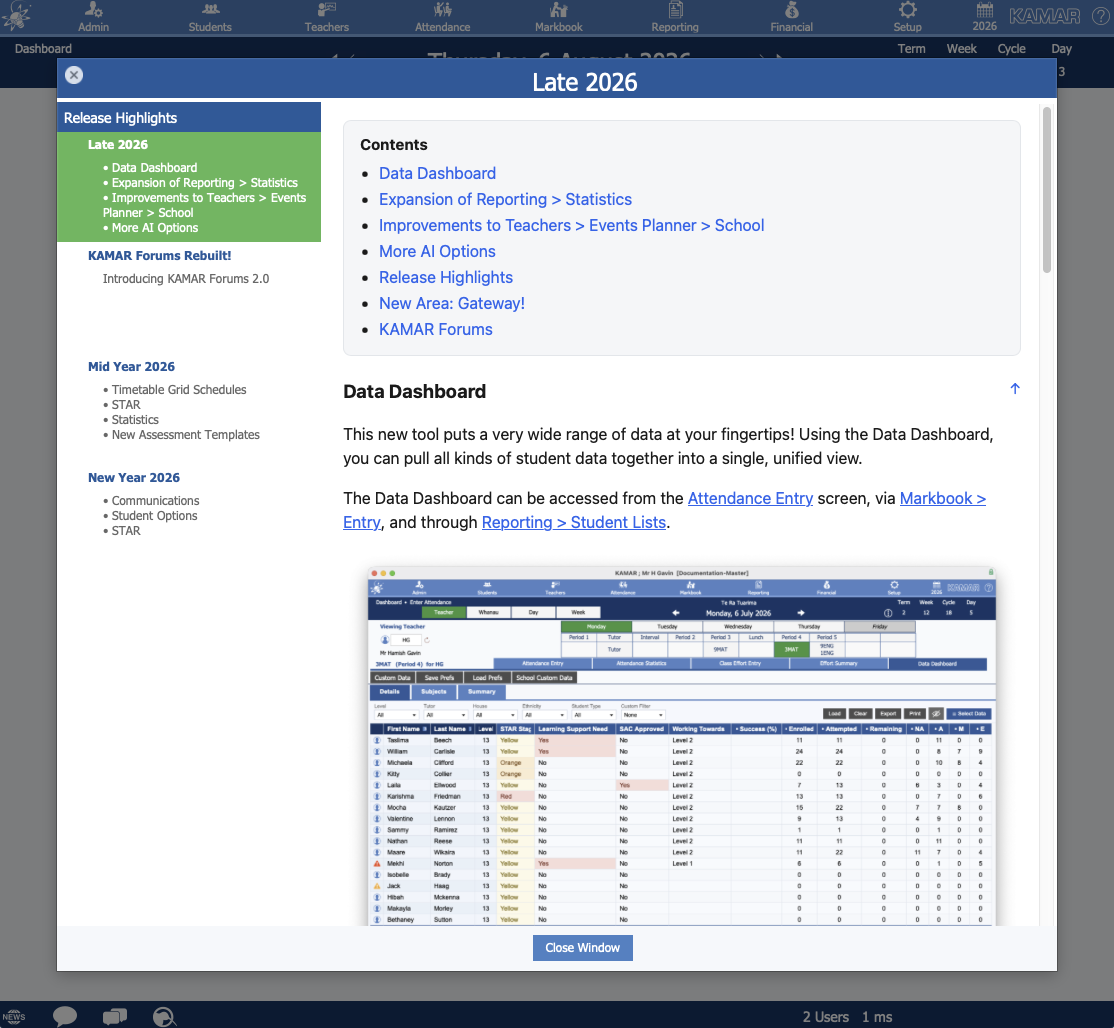
This will be the first thing that you'll notice when you get the update - on logon, we're going to open a window that shares the details of what's in the update. This is our way of making it much easier to share details of important update features with everyone.
More AI Options Supported
We've added support for more AI options - your school can now choose between ChatGPT, Claude, Gemini and CoPilot.
If you're using AI to assist with comment composition, you'll be pleased to note that descriptor assessments will be used in comment generation.
Other Changes
In addition to these exciting features and improvements, we have made lots of little fixes and tweaks, too.
- Added ‘day of week’ toggles when adding teacher absences over a date range.
- Added ‘contractors’ to Health & Safety hazards.
- Learning Support Programmes now print from Custom Files (so you can edit them).
- Added the Ability to 'lock down' specific assessments to prevent them from being entered or published.
- Improvements to the visibility of notes displayed in the Student Information Card.
- Improvements to Seating Plan.
- Added the ability to import Phonics Tool results.
- Added the ability to enter and view relief lessons on KAMAR for Mobile.
- Attendance Statistics expanded to include year data and allow selecting of any field.
- 'Timeline' toggle added to Students > Details > Academic > Results.
For more information about what is in this update, keep your eye out for the Release Notes!