KAMAR Update - June 2026
Details of what's in the next KAMAR update! Released 16th June 2026
Posted on Tuesday 2 June, 2026 , Updated on Monday 15 June, 2026
A major update to KAMAR is due for release early this month. Here is some information about the key features in that update.
Timetable Changes: Introducing Grid Schedules!
We've added the ability for you to have different mappings of lines to time slots for selected weeks.
This applies to core grids, options grids, student grids and teacher grids.
Some examples of how you could use this feature include:
- For a school with a 5-dy cycle, add a schedule for 'odd' and 'even' weeks for selected years - a 10-day cycle for a portion of your school!
- Swap where two lines are mapped for the remainder of the year.
- Define the subjects and when they occur for the rest of the school during Exam Week.
- Replace a teacher or a room for a subject - either for a time or for the rest of the year, while preserving the original.
Put simply, a grid schedule is an alternate mapping of lines to time slots that applies to certain weeks. All options and core grids have a 'default' schedule (which you cannot delete); if no other schedules are added to the grid, then it lasts for the entire year. Grids can have multiple schedules.
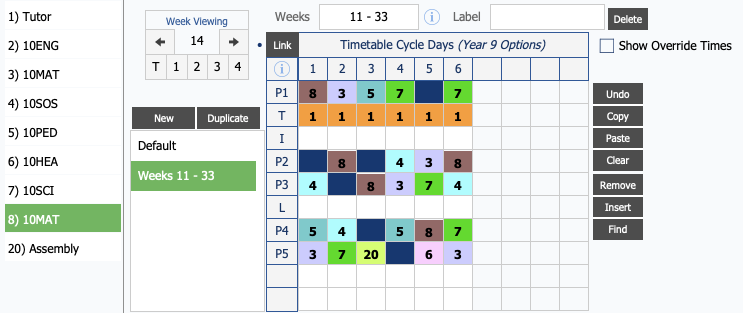
In the example above, a teacher is going on maternity leave; for the weeks where she is not at school, her 10MAT class (normally on line 2 on this core grid) is given to a different teacher (using line 8 on this core grid). On the schedule, which covers weeks 11 - 33, line 3 is replaced with line 8.
As a result of this:
- Student timetables show the replacement teacher during weeks 11 - 33 and the original teacher before and after this week range.
- Both teachers' timetables and attendance expectations reflect when they have the class.
- No need to 'put things back' when the teacher returns from leave!
Careful consideration should always be given to adding more schedules to your grids, as they do not re-shuffle subjects or students; moving where lines are mapped to might introduce clashes to your timetable.
Improvements to STAR
We've made some improvements to the STAR process in KAMAR.
Assigned Teacher
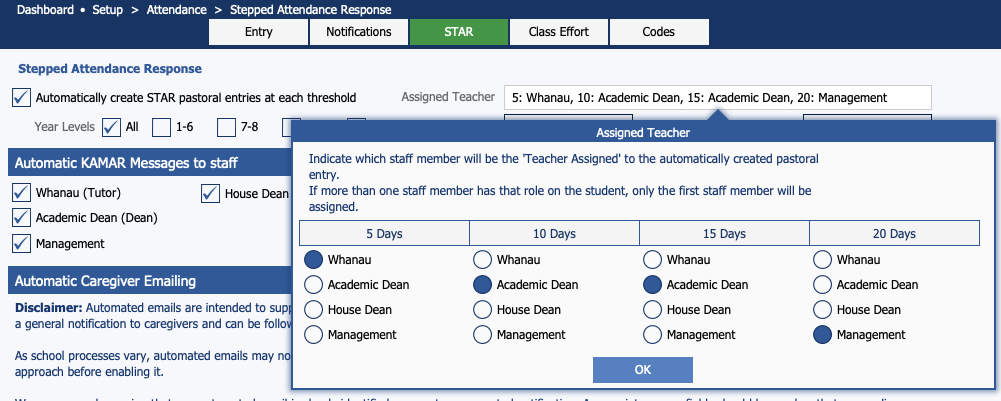
When KAMAR automatically creates STAR records for students, you can now choose who the 'Assigned Teacher' is, based on staff roles (tutor, dean, management). You can separately set this
for each STAR threshold.
Create Additional Pastoral
When KAMAR automatically creates a STAR record and sends an email to caregivers, the response activity is automatically set to "automated email notification" and the record is flagged as "complete". We've added a feature that
you can use to automatically create a second Pastoral record when KAMAR automatically creates STAR records. The second one will not have a response activity set and will remain as "incomplete", so staff can record any further responses and
manually completed by a staff member.
Automatic Staff Notification
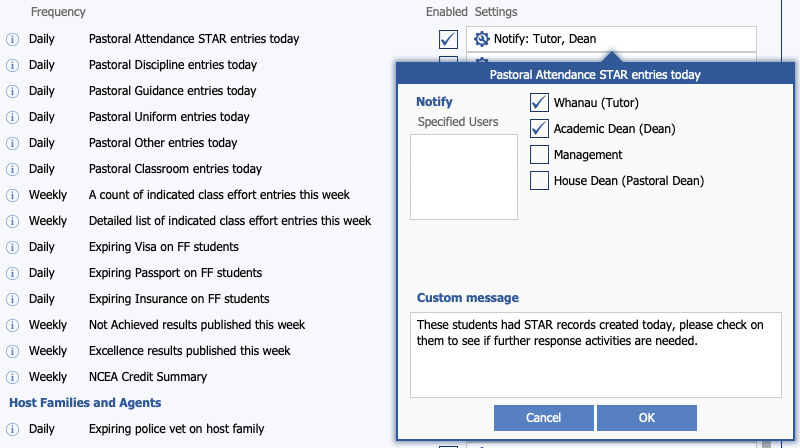
We've had staff notifications based on Pastoral categories for a while - now we've added one specifically for "STAR entries today".
Attendance Statistics
We've introduced a couple of new tools that you can use to analyse your attendance data.
Filtered Statistics
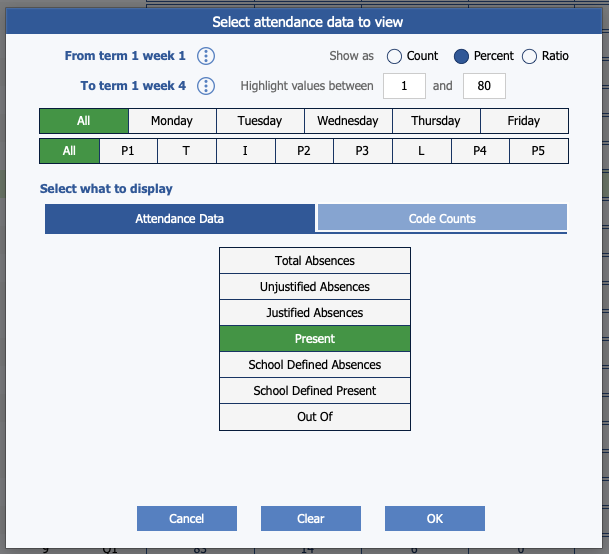
This new tool lets you interrogate your school's attendance data your way - you choose what to show!
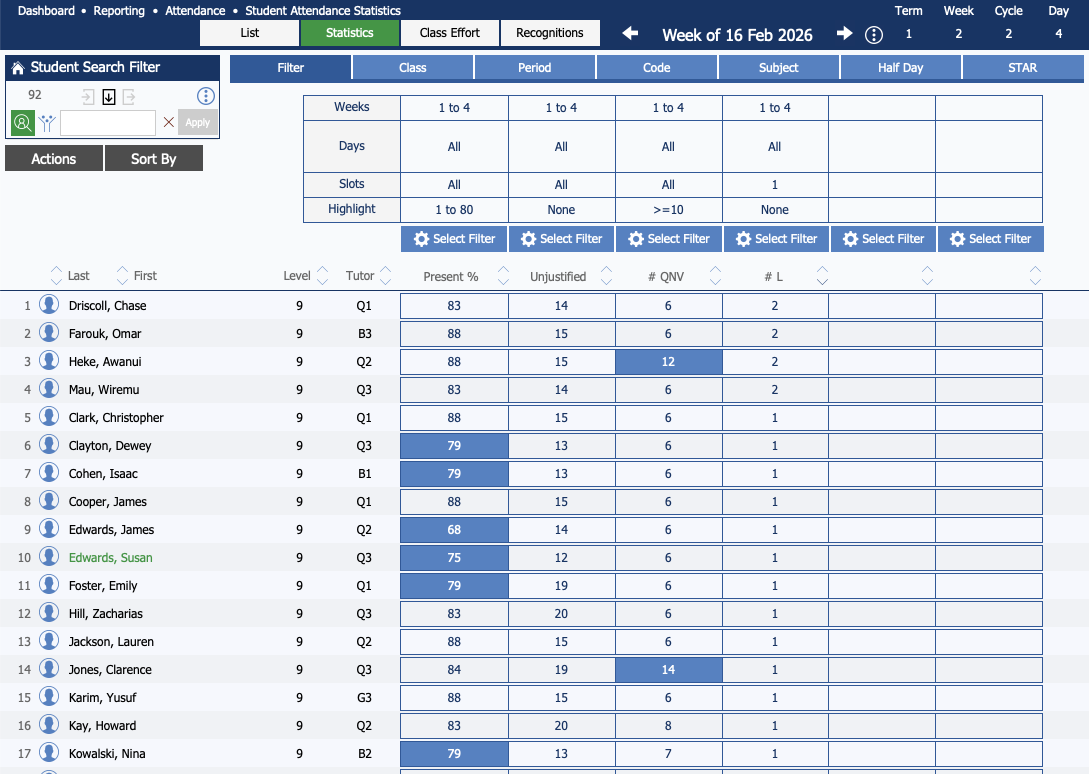
Use the 'Select Filter' button above each column to determine:
- Week range to focus on.
- Show as count, percent or ratio.
- Which values to highlight.
- Which days to focus on - all, or any combination of days of the week.
- Which time slots to focus on - all, or any combination of time slots.
- What to display - attendance data or code counts.
Improvements to Reporting > Statistics
Reporting Statistics has had a few improvements!
Customisable 'Student' Fields
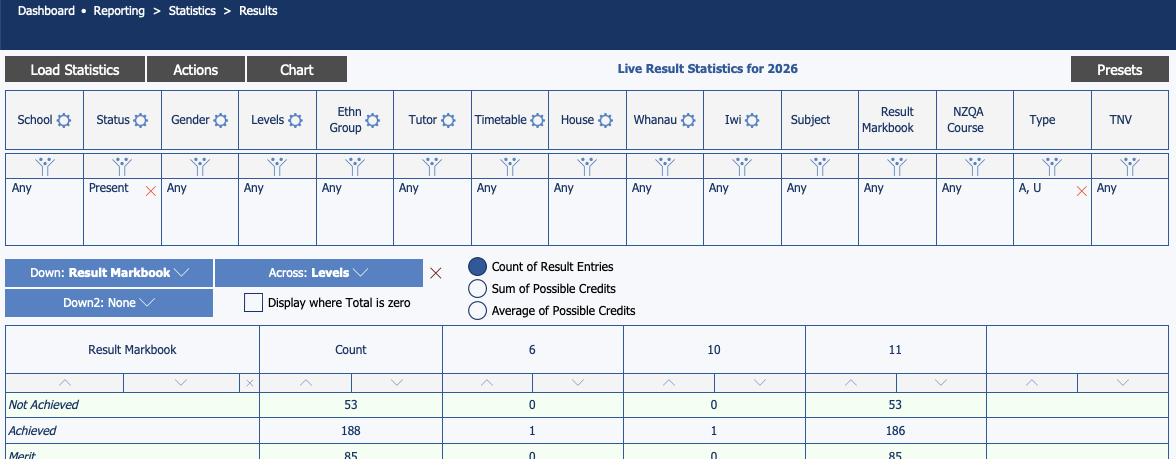
When viewing live statistics about student details, you have always been able to use the 'cog' icon to pick your own 'student' fields to use in your statistics. Now you can do the same with the Results, Attendance, Pastoral and the
new Learning Support Needs statistics.
Filters and Across/Down Fields
When you set a filter on a field so that no more than 15 things are in that list, you can now set that field as your 'across' value.
Attendance Statistics
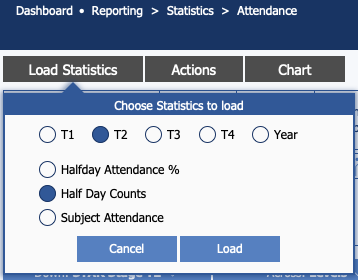
We've made an addition when loading data to generate attendance statistics - you can now load the current year's data rather than just one term.
New! Statistics on Learning Support Needs
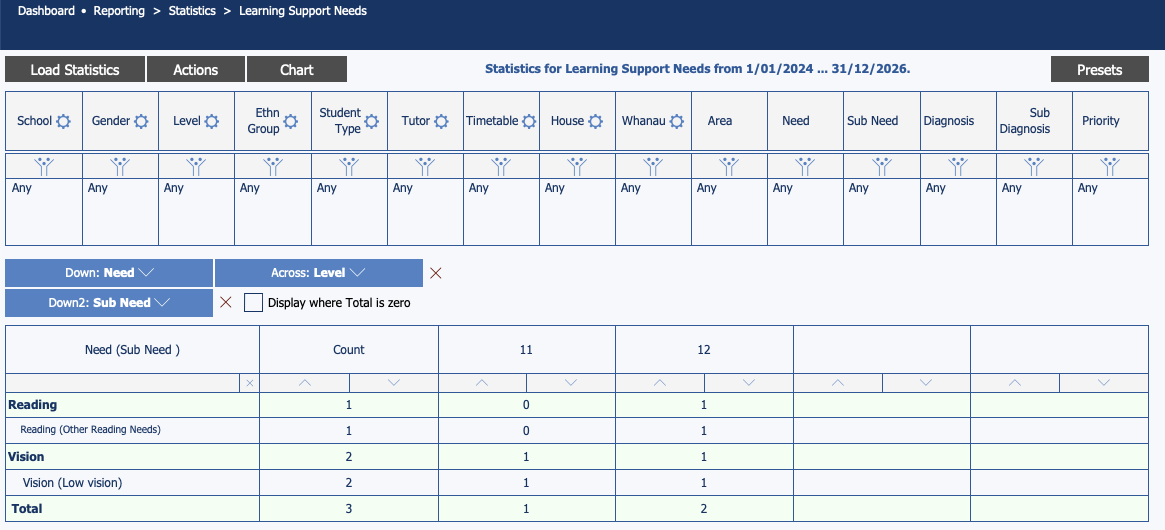
We've added a new option in Reporting > Statistics - you can now generate statistics on Learning Support needs.
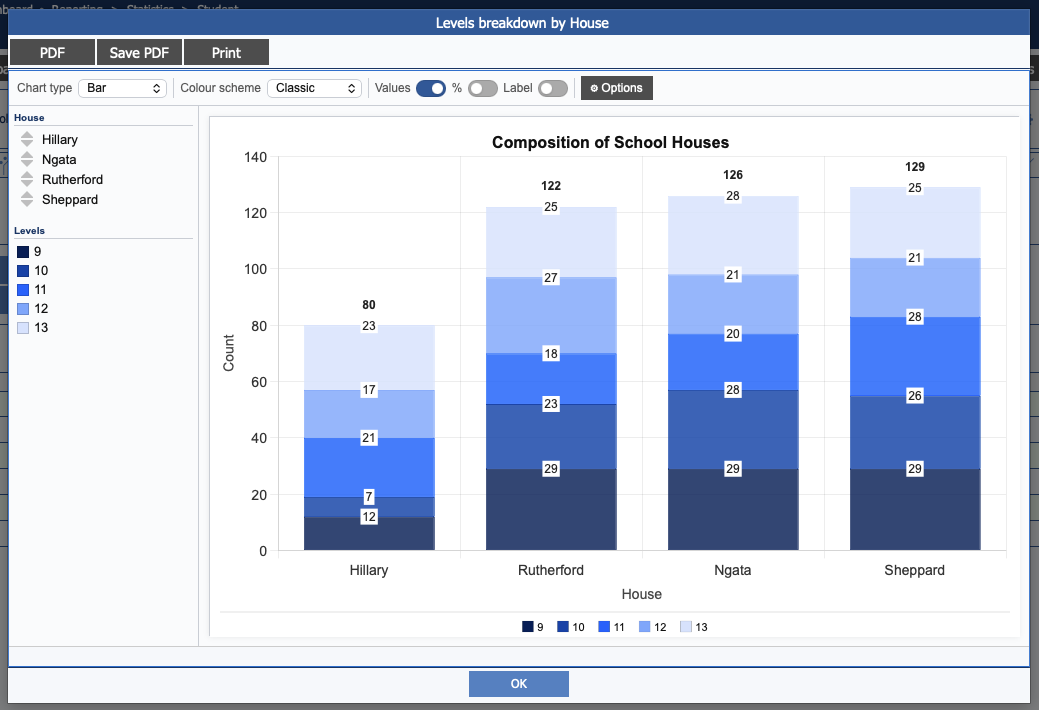
Improvements to Statistics Charts
We've made some pretty drastic improvements to the charts you can generate from your statistics. Once you've put your statistics together, click the "Chart" button at the
top. You can use the controls at the top to:
- Select the type of chart.
- Select a colour scheme.
- Add values and labels to the various bits of data in your chart.
- Set the order of the bits of data in your chart.
- Omit selected things in the chart.
Additionally, use the settings inside the Options button to:
- Define a custom chart title and sub-title.
- Control the size, colour and background of the various pieces of text on the chart.
- Adjust some of the chart options (eg, stacked bars, totals for stacks, horizontal bars, etc).
- Define a sort order for the values in the chart.
- Add an annotation line to the chart.
- Control whether a legend is included in the chart, and the font size used in it.
- Control the canvas colour (that is, the background of the chart).
New Assessment Templates Added
We've added templates for commonly used assessments.
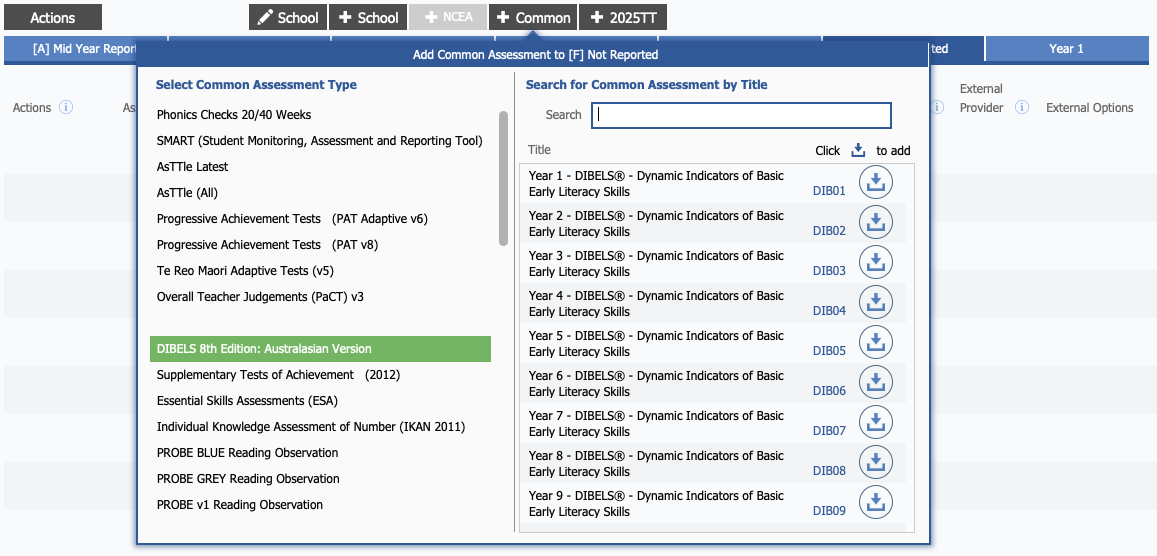
DIBELS
We've added templates for this assessment, you'll find them in the "Common" menu in Markbook Setup.
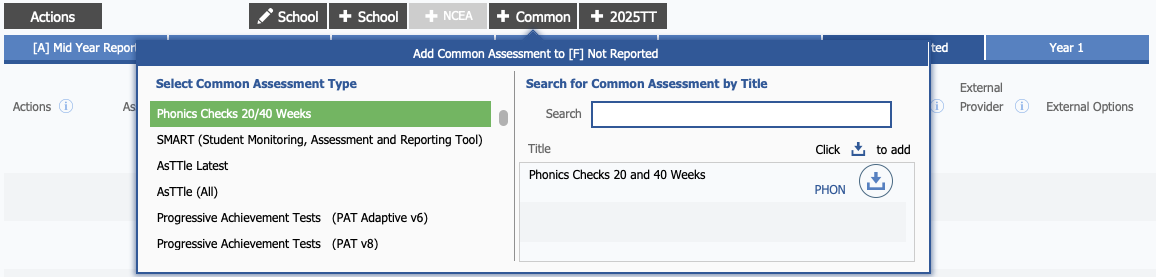
Phonics Check (20 and 40 Weeks)
We've added a template for the Phonics Check, which you'll find in the "Common" menu in Markbook Setup.
You can upload your students to the online Phonics Check tool. Since it's not yet possible to download results, the overall score can be manually added to the assessment.
In the future, once the online Phonics Check tool supports downloading results, we'll add the ability to import them.
Progress Descriptors Added to PAT Assessments
Thanks to some work done by NZCER, we've added progress descriptors
when viewing PAT results in Markbook Entry - you'll find them on the far right of the screen.

Other Changes
In addition to these changes this update also includes a range of bug fixes and minor improvements, including:
- Added an 'Email' button to the Nurse and Sickbay areas.
- Wardens added to Emergency Management.
- Custom Email templates - added "Upcoming Assessment Dates" as a content block.
- Learning Support Programmes / IEPs now print from Custom Files (so you can customise them!).
- Added "Additional Staff" field to share access to an EOTC event with other staff.
- Health & Safety:
- Added the ability to filter hazards by multiple locations at once.
- Contractors have been added to Hazards.
- Some additional 'alternative' options added to our 'report descriptor' progress report template.
- New Automatic Staff Notifications:
- Pastoral entries in each category today.
- Excellence results this week.
- school.kiwi - 'charge to' departments now separately defined (ie, not linked to charge departments).
- KAMAR for Mobile:
- Added a scroll and zoom function to the Map area.
- Notices can be expanded, making longer blocks of text easier to read.
- Student notes can be expanded, making longer blocks of text easier to read.
- Added the ability for emergency admin to verify who email notifications are being sent to.
- Timetable will now be greyed out in the menu if you don't have a timetable.