Issue with 'Report as Descriptor' Progress Report Template
Details of how to correct the 'report as descriptor' progress report template - without having to replace your report file!
Posted on Wednesday 17 June, 2026
We've discovered some minor issues with the two 'report as descriptor' progress report templates:
- Subjects - Mid Year Progress Decriptors (Overall, Strands) - Comment, LBs, Progress
- Subjects - End Year Progress Decriptors (Overall, Strands) - Comment, LBs, Progress
The issues are:
- Incorrect relationship between the overall descriptor and associated strands.
- Four incorrect field references in calculated fields.
These issues do not affect any result or comment information; once corrected, your progress report will work as expected.
How to tell if you are affected by these issues
When you are viewing one of these pages for a student who has descriptors entered, you'll see a number rather than a word. If your descriptors are showing correctly, then you are not affected by these issues.
You are most welcome to call the Support Team and share your screen with them, they will help you fix these issues. Or if you are confident, you can follow these steps to correct the issues yourself. The "Template" file is not affected by these issues, but replacing your Report file with a fresh copy of the "Template" file will lose any changes you have made to any and all report templates in that file.
Steps to Correct
If you are confident, you can follow these steps to correct the issues with the progress report template, otherwise you are most welcome to call the Support Team for assistance with making these fixes.
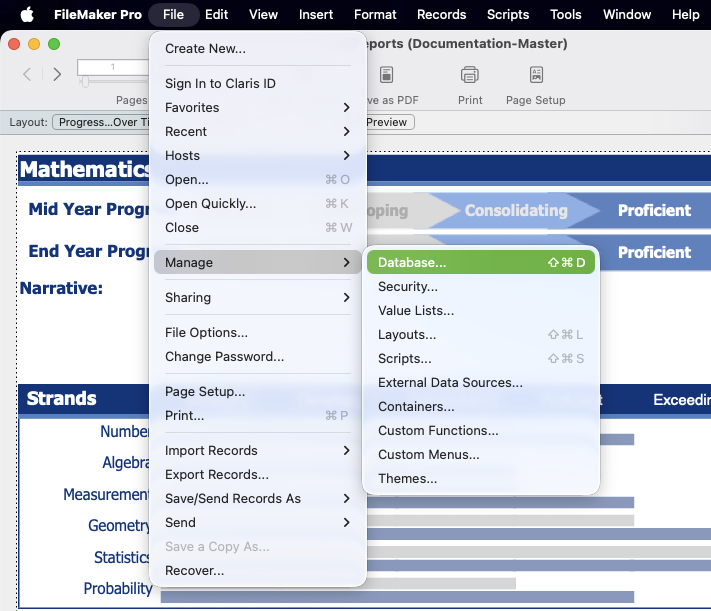
Go to Reporting > Progress Reports and view the report page, then switch to Layout Mode. From the 'File' menu, go down to "Manage", then select "Database...".
Fix Incorrect Relationship
Once the window opens, select "Relationships" at the top. Find a table instance called "Report_DescriptorOverall_Result" - it will be to the right of the big "Report" table. When you spot it, you'll see that two further
tables are connected to it (connected by lines). Find the connection between Report_DescriptorOverall_Result and Report_DescriptorStrands_Result (circled in the image below).
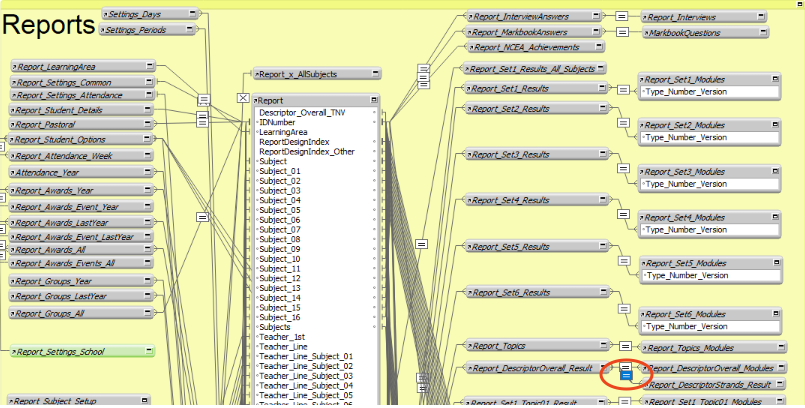
Double-click on the box in the middle of the joining line to edit the relationship.
Select the second join from the list in the middle of the window (highlighted in red below).
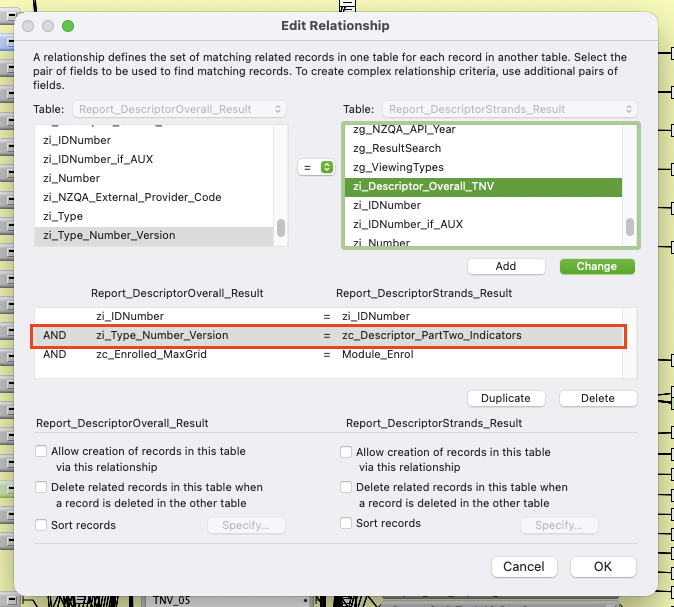
The field on the right is incorrect, it should be zi_Descriptor_Overall_TNV. So in the list of field on the right (highlighted in green in the image above), scroll down until you find it. The fields are listed in alphabetical order, so it will be near the bottom. When you find it, select it and click the "Change" button.
Your relationship should now look like this:
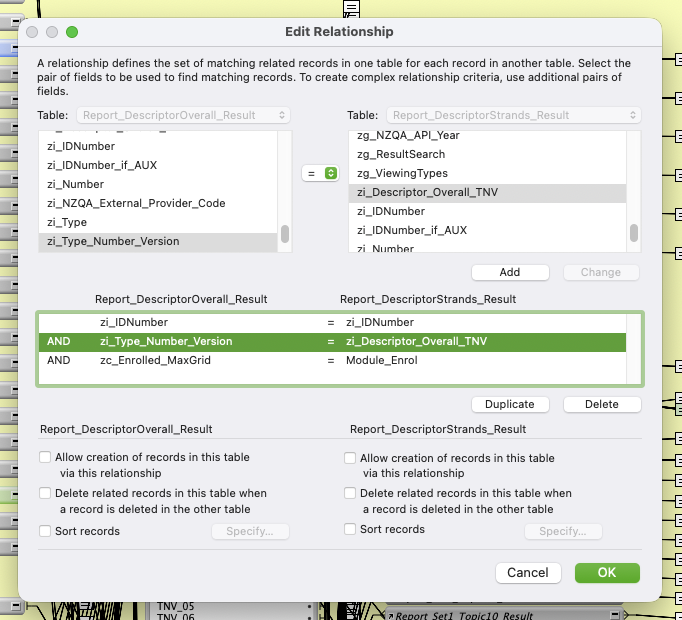
Click the "OK" button and proceed to the next step.
Fix Incorrect Field Calculations
Still in the "Manage Database" window, switch to "Fields" at the top. There are four fields that need to be fixed.
1. Descriptor_Overall_Part01_Indicators_Formatted
Find the field (highlighted in green in the image below).
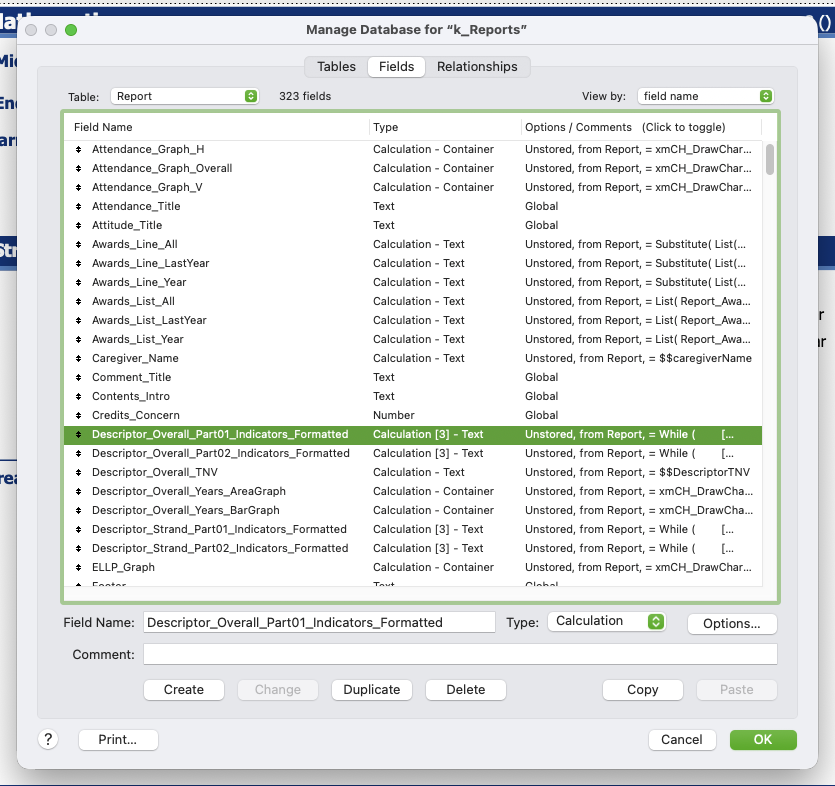
Select it and click the "Options" button to edit the field calculation. You'll see this:
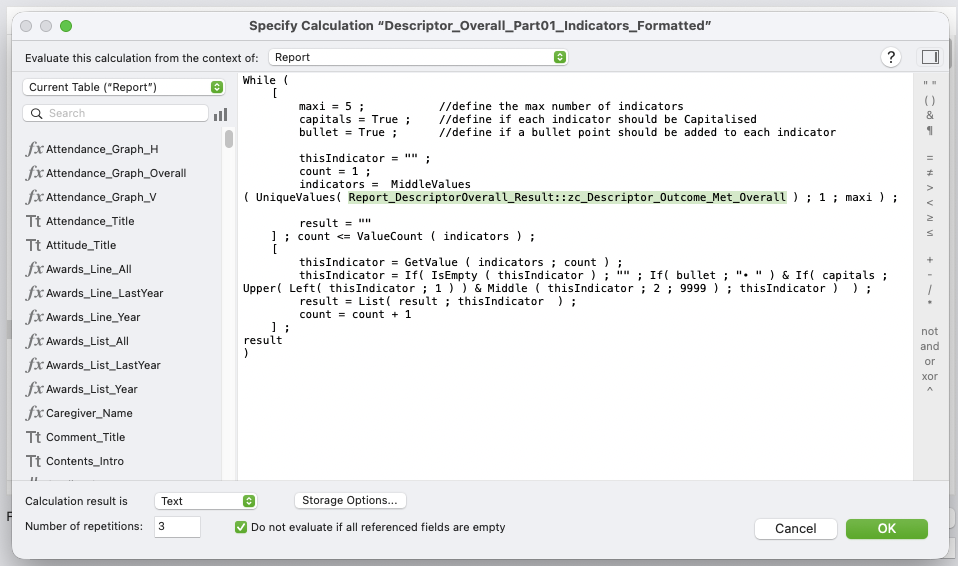
The field I have highlighted in green is what you need to change.
Remove "Outcome_Met_Overall" from the end of the field name, and type the letter P - FileMaker will give you a list of fields to pick from - you want the "PartOne_Indicators" one (since you are eating the Part01_Indicators_Formatted field).
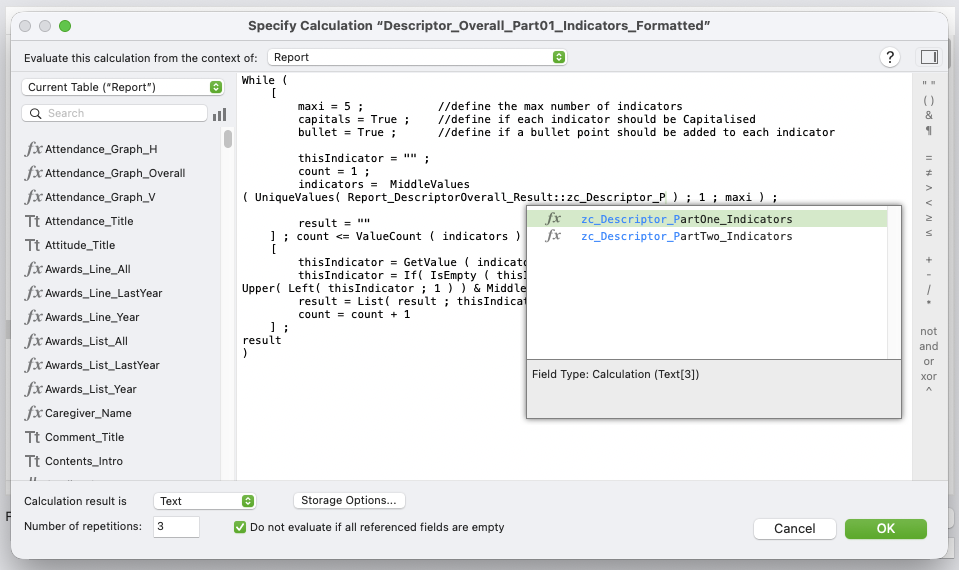
Double click the PartOne_Indicators field in the list - it should now look like this:
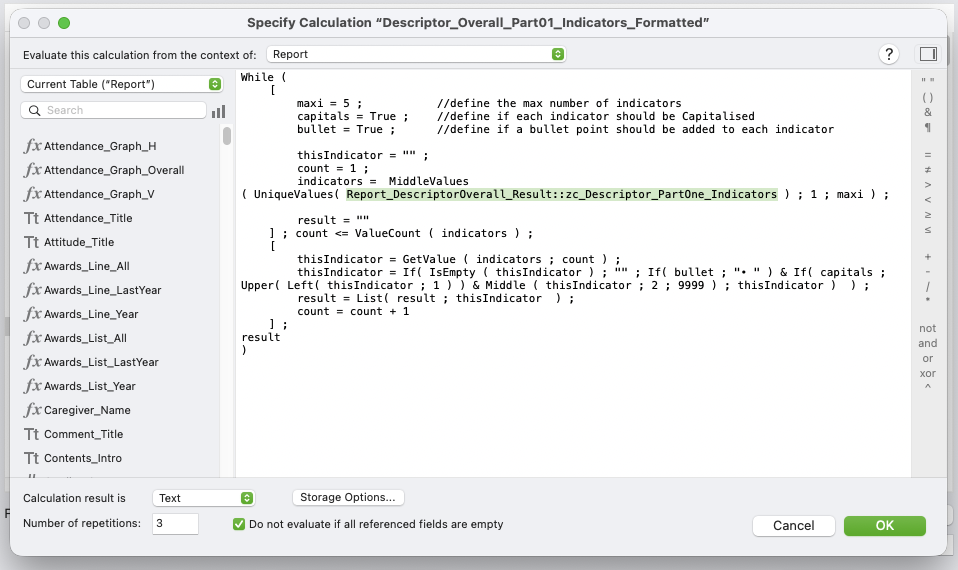
Click the "OK" button.
The steps to fix the other three fields are the same, just ensure you select the right field each time.
2. Descriptor_Overall_Part02_Indicators_Formatted
Find this field, select it and click the "Options" button. Find the field Report_DescriptorOverall_Result::zc_Descriptor_PartOne_Indicators.
Replace it with Report_DescriptorOverall_Result::zc_Descriptor_PartTwo_Indicators.
3. Descriptor_Strand_Part01_Indicators_Formatted
Find this field, select it and click the "Options" button. Find the field Report_DescriptorOverall_Result::zc_Descriptor_Strands_PartOne_Average.
Replace it with Report_DescriptorOverall_Result::zc_Descriptor_Strands_PartOne_Indicators.
4. Descriptor_Strand_Part02_Indicators_Formatted
Find this field, select it and click the "Options" button. Find the field Before: Report_DescriptorOverall_Result::zc_Descriptor_Strands_PartTwo_Average.
Replace it with Report_DescriptorOverall_Result::zc_Descriptor_Strands_PartTwo_Indicators.